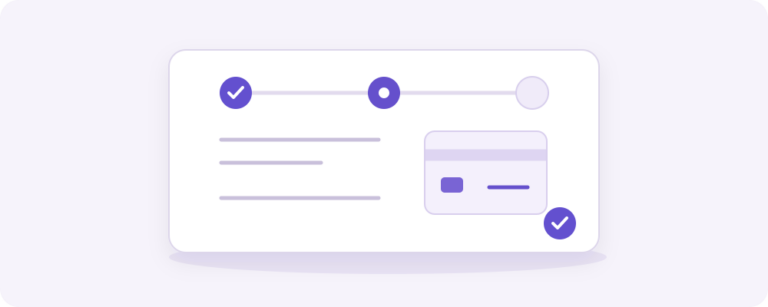
A checkout that guides customers through the order
Checkout by Yindle gives the classic WooCommerce checkout a clear sequence: contact details, address, delivery or collection, review and payment. The order summary stays beside the steps on desktop and can be collapsed on small screens. Customers get more orientation without introducing a second order or payment model.
The plugin moves existing form components into that presentation. WooCommerce remains authoritative for pricing, stock, tax, shipping, payment fields, tokens and orders. You can keep using your existing payment gateway and store rules. An optional order reference of up to 80 characters is stored with the order. Multiple shipping packages remain independently usable.
When is it a good fit?
- You use the classic WooCommerce checkout and want a guided step sequence.
- You want a compact order summary before the steps on mobile.
- You have payment, tax, stock or fulfilment extensions that must remain under WooCommerce control.
- You are replacing an existing theme checkout presentation and want to do so deliberately without overwriting theme files.
Checkout Blocks keep the native WooCommerce layout; this plugin does not claim a step layout for Blocks. Postcode.eu, payment widgets, caching, themes and mobile combinations need store-specific staging acceptance. With manual address entry, provider logic can still clear a prefilled address when no match is returned.
Installation and licensing
The stable release is v1.0.0. Declared requirements are WordPress 6.9+, WooCommerce 10+ and PHP 8.1+; local integration was checked with WordPress 7.1, WooCommerce 11.1 and PHP 8.4.18. Choose the number of standalone WordPress websites in the offer above. WordPress Multisite is outside this first licensing variant. The license provides official updates and support; checkout functionality remains available if the licensing service is temporarily unreachable.
Frequently asked questions
Does Checkout replace my payment gateway?
No. Existing gateway fields and handlers remain owned by their gateway. Test the complete payment flow on staging with your gateway and extensions.
Can I return to the previous checkout presentation?
Yes. Turn off the migration setting or deactivate the plugin. Back up plugin files and the database before upgrading.
Where can I learn more about WooCommerce checkout workflows?
Read the e-commerce knowledge base and compare Checkout with Share Cart by Yindle when sharing and saving carts is part of your process. This keeps the choice between presentation and collaboration practical. Read our guide: How to introduce a guided WooCommerce checkout without losing your store rules.